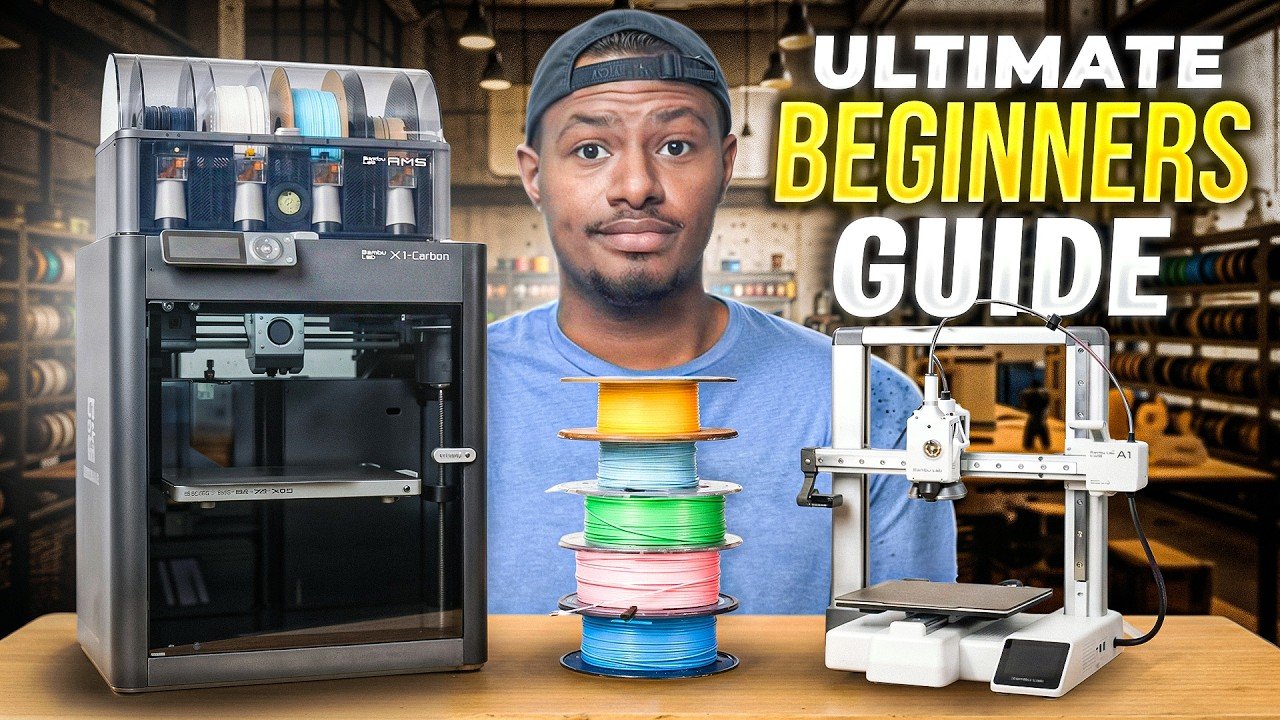
Corey Williams has a nine-year-old niece who prints in multiple colors without breaking a sweat, and that fact alone tells you everything about where 3D printing stands in 2026. What once required technical fluency and patience for failure now fits inside a smartphone app and a box that practically sets itself up. Williams, who runs the Williams Workshop channel and owns more printers than most people own kitchen appliances, built this guide because his original beginner rundown left out a few things he now considers essential, including which exact printer to buy, which filament to grab first, and what to do when something inevitably goes wrong.
The printer decision is simpler than the internet makes it look
For FDM printing, which is the beginner-friendly process of melting plastic filament through a heated nozzle and building objects one layer at a time, Williams points directly to the Bamboo Lab A1 as the starting point. His reasoning is practical: the unboxing experience is designed for people who have never touched a 3D printer, and the Handy smartphone app means a laptop is not even required to get a first print running. For anyone with a little more budget who wants to skip the entry level, the P1S or the newer P2S runs between roughly $800 and $1,000 with the combo bundle, while the A1 or A1 Mini lands in the $200 to $400 range.
The combo he keeps mentioning refers to the AMS, which is Bamboo Lab’s multi-filament system. A single-spool printer locks you into one color per print. The AMS loads multiple spools at once, so switching from white to black to orange requires a tap rather than a manual spool swap. Williams put it plainly: ‘It’s so much easier and more fun to be able to have multiple colors in a spool, so when you go to pick out a model, you don’t have to change the filament every time you want to make something a different color.’
For filament, the answer is PLA, full stop. Sunloo is the brand Williams buys with his own money and has received from the company. Bamboo Lab’s own filament costs more but includes a small embedded sensor tag that lets compatible printers automatically identify the material and color without manual programming.
The four things that trip up almost every beginner
First: filament overwhelm. Search PLA on Amazon and the results include silk PLA, matte PLA, hyper PLA, galaxy black, and a dozen other variations. Williams says to ignore the modifiers entirely and search plain PLA in whatever color you want. Silk or matte finishes only change how the surface looks after printing; neither one means you made a wrong purchase.
Second: bed adhesion failure. When a print lifts off the build plate mid-job, the most common fix is cleaning the plate with 91 percent or higher isopropyl alcohol on a microfiber cloth, or spreading a thin layer of a standard Elmer’s glue stick directly onto the print area. Avoid touching the plate surface with bare hands, because skin oils are enough to cause lift.
Third: moisture in the filament. In humid climates, PLA absorbs moisture from the air over time, which shows up as poor surface quality or adhesion problems. A filament dryer solves this, though Williams notes it is not a day-one purchase.
Fourth: the commercial use assumption. Every model found on sites like MakerWorld, Thingiverse, or Printables comes with a license. Unless a file explicitly states it is available for commercial use, selling prints made from it is not permitted.
For cleanup after a print comes off the plate, Williams keeps a butane torch for stringing, a deburring tool for brim edges, and diagonal cutters for trimming filament ends at a 45-degree angle before feeding them into the extruder or AMS.
A roll of filament, a smartphone, and about an hour
The actual print workflow demonstrated here covers loading a spool into the AMS by pressing gently on the top port until it self-feeds, opening the Bamboo Lab Handy app, searching for the item (in this case, the classic beginner test print known as a Beni), selecting the printer and color, hitting confirm, and watching the machine download the job and start laying down layers. When the print finishes, the flexible build plate bends slightly and the finished piece pops free clean.
The slicer software, called Bamboo Studio for Bamboo Lab machines, becomes the next step after the phone app. It allows adjustments to layer height, infill density, and color assignments per model section, none of which are necessary on day one but become relevant once the basics feel comfortable.
The nine-year-old’s printer, sitting somewhere in Pennsylvania
The Bamboo Lab A1 that Williams originally owned now lives with his niece, who received it as a Christmas gift. It is printing somewhere right now.
Williams started exactly where this guide ends: no background, a printer on a sturdy desk, and a spool of PLA. A well-ventilated room, a clean build plate, and a correctly angled filament cut are the three things standing between a first-time buyer and a finished print.
 Wake up to Only Happy News!