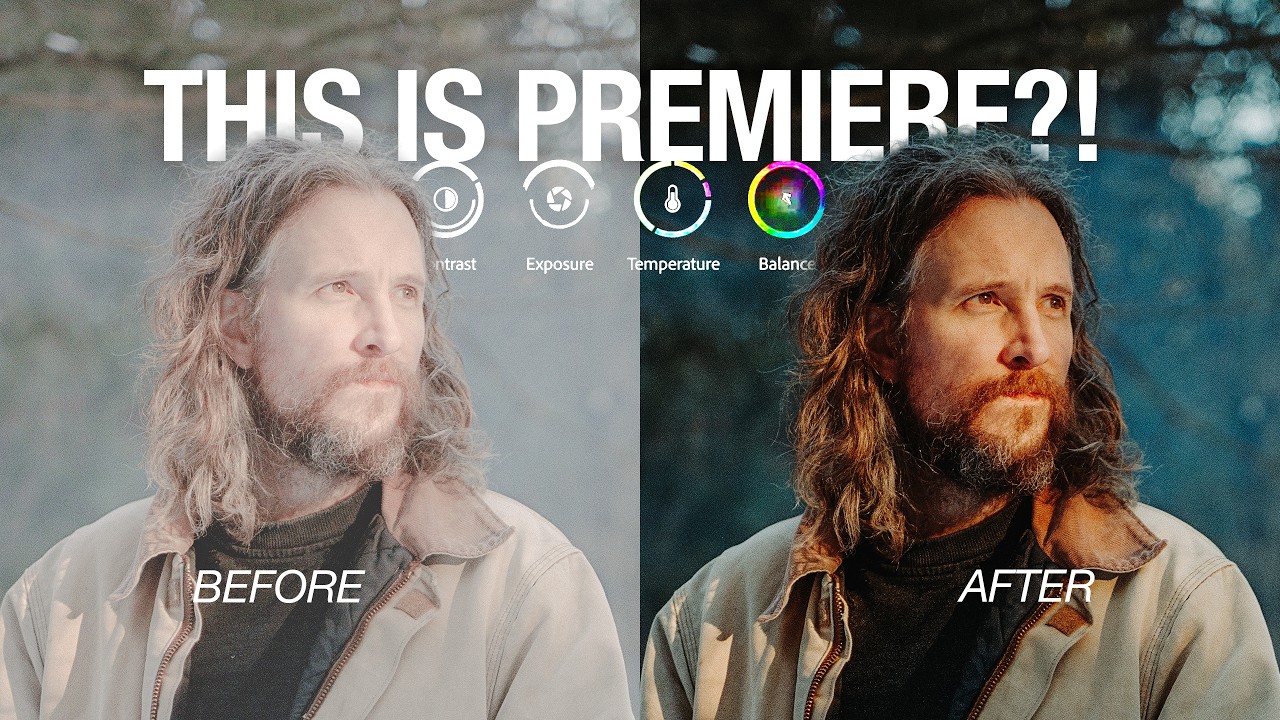
Peter McKinnon had a confession to make, and he did not bury it. Since 2017, the man has been stacking adjustment layers in Adobe Premiere like a Tetris player who never clears a line, chopping them up, exporting, watching the playback, discovering seven clips with no color applied, then hunting them down one by one to copy and paste attributes from another layer. ‘Listen to me,’ he told the camera, with the exhausted calm of someone finally putting down a heavy bag. The workflow was a mess, and he knew it. What changed is Adobe’s new Color Mode, a complete rethink of how color grading works inside Premiere Pro, and McKinnon spent real time learning it before sitting down to break it down.
The adjustment layer safety blanket, finally retired
The new Color tab sits at the top of Premiere alongside the familiar Edit and Export options, and for now it lives in the beta version of the software, downloadable through Adobe Creative Cloud. McKinnon calls it the biggest update to Premiere in decades, and the feature that hits first is the clip grid: a mosaic view of every clip in your sequence displayed on the right side of the interface, updating in real time as color changes are applied. No more guessing which clips got touched and which ones did not.
Grouping is where the workflow genuinely shifts. If a shoot had seven golden-hour clips that all ran warm, those seven can be grouped and graded together without touching an Iceland sequence sitting next to them on the timeline. The process runs in the direction that editing logic actually follows: apply a base grade to the group, then step into individual clips for fine-tuning so everything matches. McKinnon was blunt about what this revealed: ‘I can say I’ve burned so much time being disorganized now that I see how easy this is.’
Masking, which McKinnon openly admitted he had avoided for years in video work even while using it casually in Lightroom, now works in a single click. A button underneath the cursor auto-detects subjects and tracks them through the clip. He tested it on a car shot and the tool masked the selfie stick extending out of the side of the vehicle without being asked. ‘That would have for sure been like, they’re going to miss that,’ he said. It did not miss it. The mask tracked, the highlight on the car was controlled, and the whole thing took seconds.
Styles replace LUTs, and the difference is actually meaningful
LUTs have been the standard color shortcut for years, but their ceiling is low. Drop one on a clip, nudge the intensity slider, done. Premiere’s new Styles system opens the entire grade back up after application. Shadows, highlights, saturation, individual hue channels, all of it stays adjustable. Save the result as a new style, or keep moving. McKinnon is particularly interested in the film emulation options, presets modeled off actual film stocks with controls for strength and highlight protection. He has been chasing a film look for a few years, and the emulations inside Premiere mean that chase no longer requires a separate tool.
For editors with existing projects already colored the old way, Lumetri is still in the software. McKinnon acknowledged that directly: switching pipelines mid-project is not what this update demands.
The second camera angle nobody expected
McKinnon set up a second angle for this tutorial, which by his own account has never happened before in his teaching format. He described it as ‘big tasty real estate’ of screen space, showing the interface from a wider view so the layout of the color workspace read clearly.
Somewhere on the timeline, a car sits in a shot with a selfie stick extending out of the frame, masked and tracked perfectly, highlights intact, exactly where McKinnon’s old workflow would have left it overexposed and uncorrected.
He graded it properly this time.